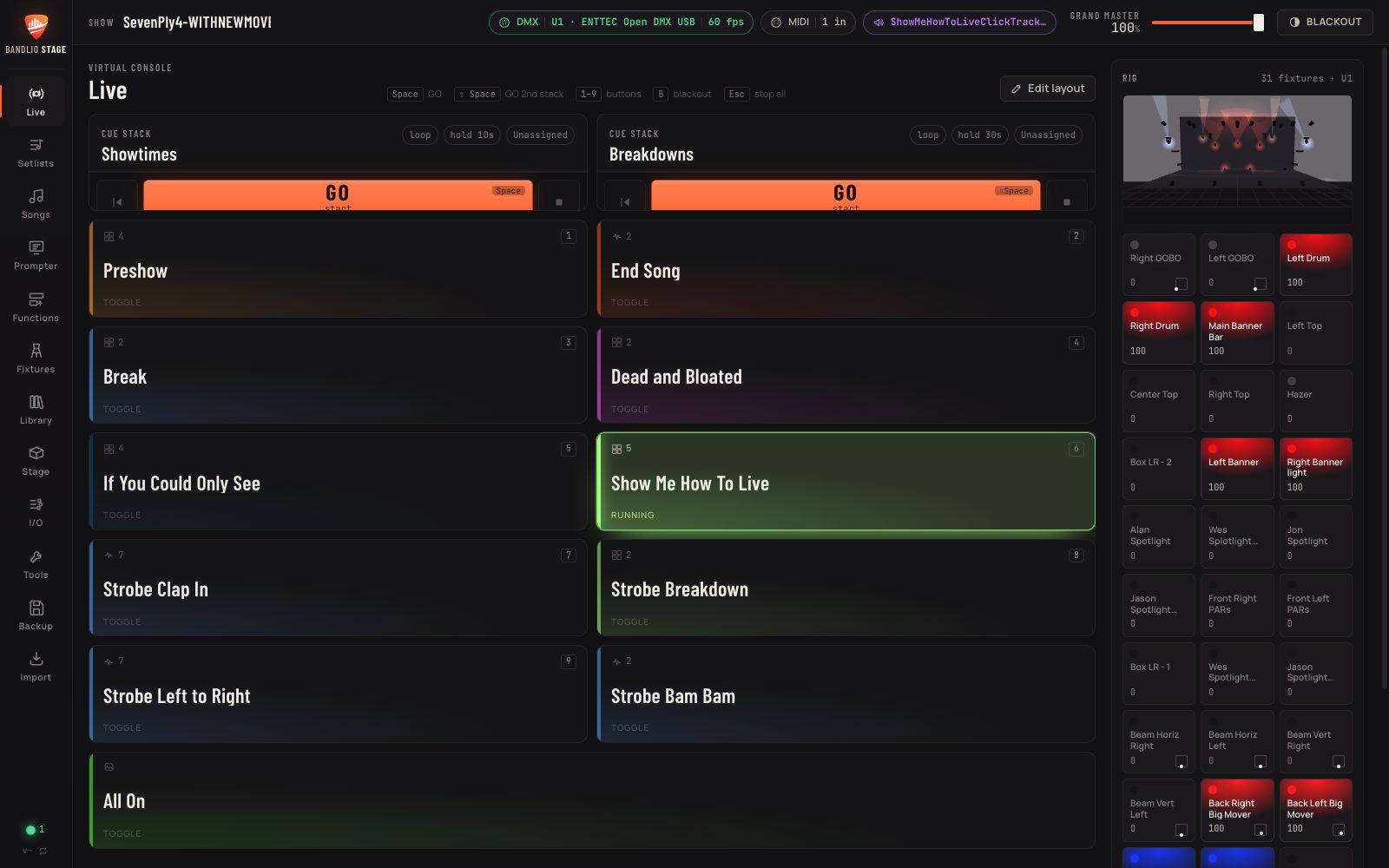
A lighting console, an AI lighting designer, a 3D stage preview and a prompter — in one app built for bands, not lighting techs. Plug in a USB DMX dongle and your lights follow the show.
Mac & Windows · 14-day free trial · no account needed to try it
From the first rehearsal to the encore — built around how bands actually play live.
Big buttons and cue stacks for every song. GO from the keyboard or a MIDI foot pedal, with one-tap blackout.
Describe the mood and get a look, a scene or a whole song's light show timed to the bars and beats — then tweak it by hand.
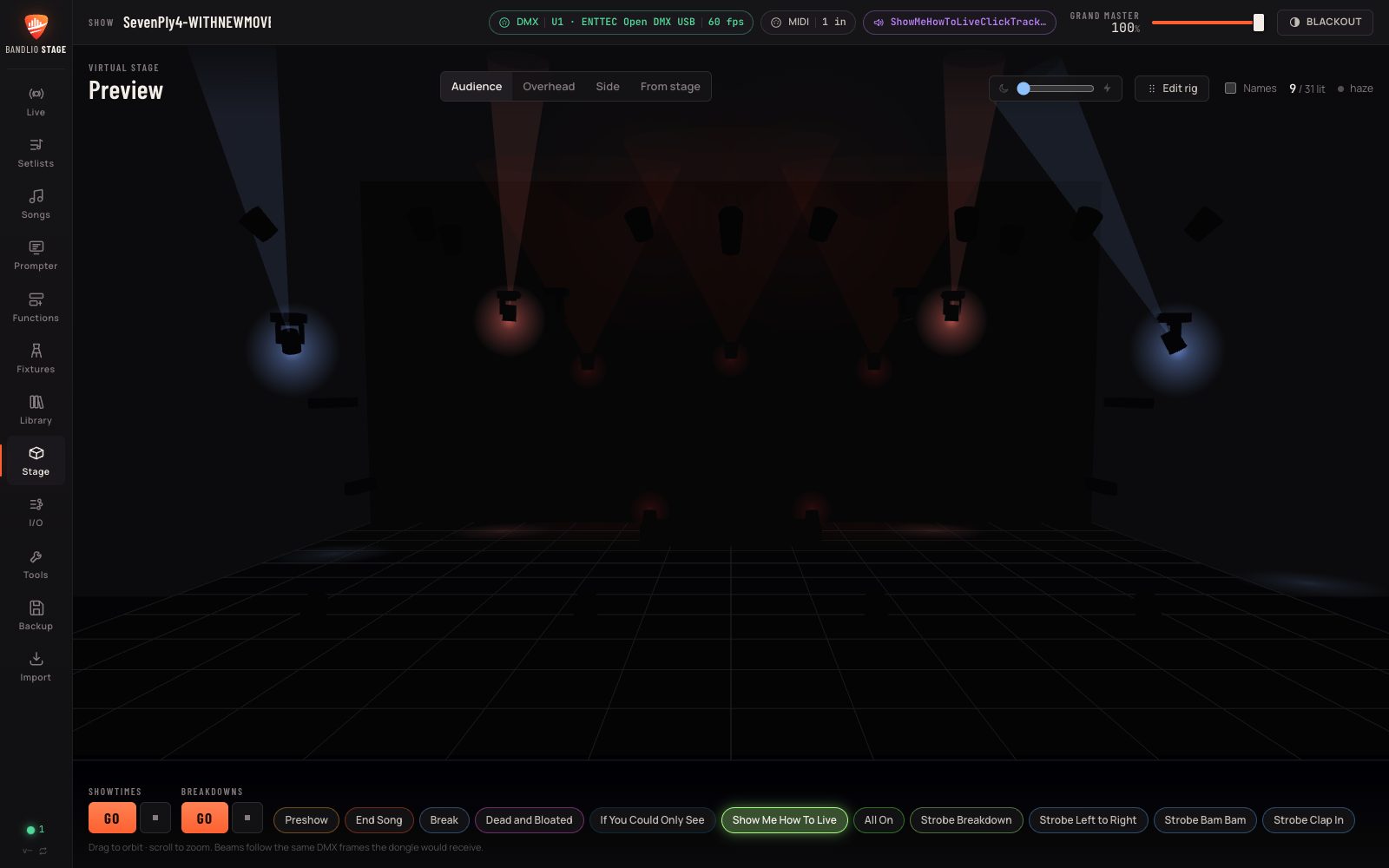
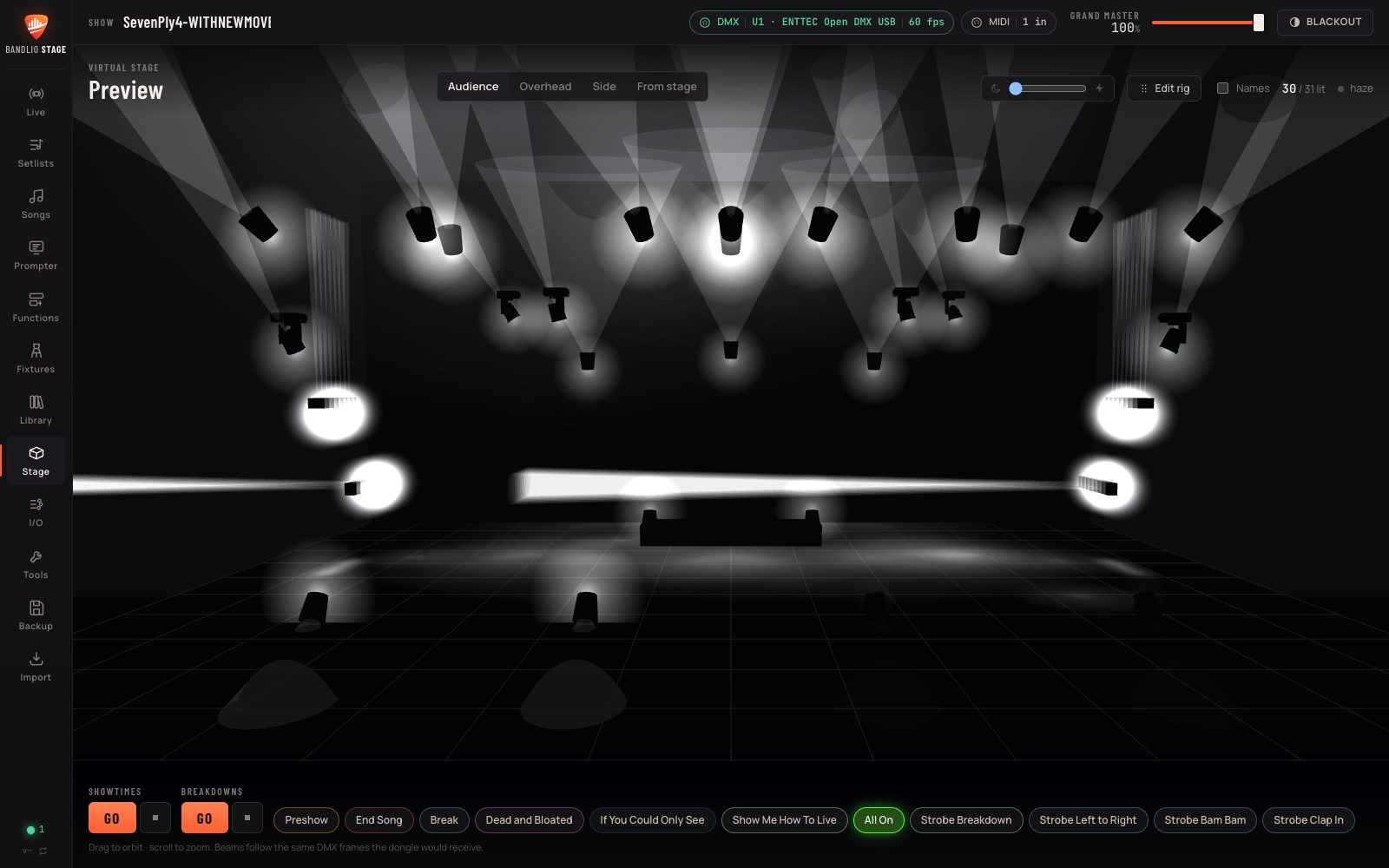
See your real rig — movers, bars, PARs, trussing — light up in 3D, so the show is designed before you load in.
Lyrics and charts for every song on a second screen, with hands-free page turns from a foot pedal. Setlists sync from Bandlio.
Lights that play along with your backing track or click, beat for beat, every night the same.
Your tech runs the console from a phone on the stage Wi-Fi — scan a QR code, no app to install.
Hand a lucky fan the lights for a song: they scan a code and get a few safe buttons you chose. They can never black out the stage.
No internet at the gig? No problem. USB DMX or Art-Net, real fixture definitions, and QLC+ shows import straight in.
Lay out the Live page the way your set runs — a button per song, cue stacks for intros, breakdowns and endings. Hit GO, or step on a pedal, and the lights follow while you play.
Place your fixtures where they really hang and watch every look on a 3D stage — on the couch, in the van, at rehearsal. Ask the AI for “moody blue verses, big warm chorus” and fine-tune what it makes.
Install on your Mac or PC and connect a USB DMX interface (or send Art-Net over your network).
Pick your fixtures, place them on the 3D stage, or import an existing QLC+ show.
Make looks by hand or with the AI, drop them on the Live page, and run the show.
Connect Bandlio Stage to your band's Bandlio account and your setlists and song library come across automatically, audience control is hosted for you, and signing in activates your license. Bandlio Stage works fine on its own too.
One license per band, yours to keep — use it on your front-of-house and stage computers.
Every feature for 14 days. No account, no card.
A perpetual license for your band, for as many computers as you need.
Or request one right inside the app: I/O → Bandlio → License.
A Mac or Windows computer and a DMX interface — an ENTTEC Open DMX USB–style dongle, or any Art-Net node on your network. Bandlio Stage supports a large library of real fixture definitions (QLC+ format), and can import an existing QLC+ show.
No. Bandlio Stage works on its own. A Bandlio account adds setlist and song sync, hosted audience control, and one-click license activation.
No. Once your license is activated (which takes a moment online), the console, prompter and lights all work fully offline. Only audience control and syncing with Bandlio need a connection.
You describe what you want and it designs looks, scenes or a full song timeline for your actual rig — timed to the song's bars and beats. It uses your own OpenAI or Anthropic API key, and everything it makes stays editable by hand.
Your show, songs and settings stay put. Until you add a license, light output and remote control are paused — add a license and everything picks up where you left off. It never switches off in the middle of a show.
Yes — a license covers the number of computers you need (for example front-of-house and a stage PC), and you can move it to a new computer whenever you like.
Download Bandlio Stage and have your first look running tonight.